
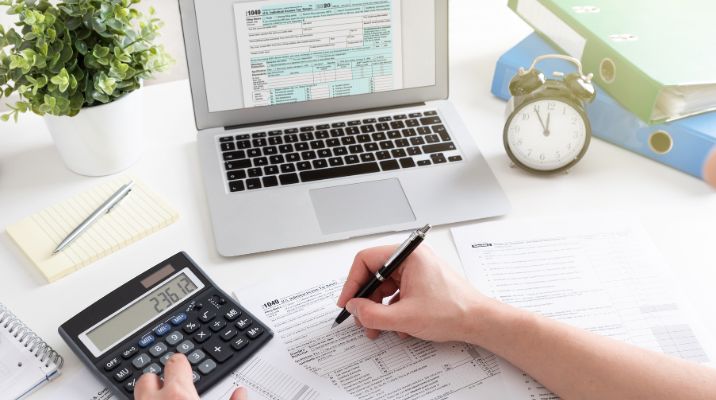
Xero can make bookkeeping much easier for a small business. It can pull in bank transactions, create invoices, track bills and help with financial reports.
But Xero does not remove the need for good bookkeeping habits.
A few wrong settings or small mistakes can slowly make the accounts messy. The problem is that these mistakes are not always easy to notice. A business owner may keep working for months before finding out that GST was coded incorrectly, transactions were duplicated, or old invoices were never followed up.
This is why it is worth checking your Xero file regularly.
1. Not Reconciling the Bank Account Regularly
Bank reconciliation is one of the basic jobs in Xero Bookkeeping.
It means checking the transactions in Xero against the transactions shown by your bank. The two records should make sense together.
Xero can make matching transactions faster, but you still need to review the matches. A suggested match is not automatically the right match.
If you leave reconciliation for months, small errors can build up. You may have duplicate transactions, missing payments, bank fees that were not recorded, or payments sitting in the wrong account.
Regular reconciliation also gives you a clearer view of your actual cash position. Xero recommends regular reconciliation, with weekly or daily checks being useful for businesses with higher transaction volumes.
A simple habit is to reconcile at least once a week if your business has regular activity. This small step can make Xero Bookkeeping more accurate and easier to manage.
2. Accepting Every Bank Feed Match Without Checking
Xero bank feeds are useful because they reduce the need for manual data entry. But they can also make it easy to accept a suggested match without checking the details. For example, you may receive a $500 payment from a customer, and Xero suggests matching it to a $500 invoice. It may look correct at first, but the customer could have paid a different invoice, included a small adjustment, or the payment may already have been recorded. Take a few seconds to check the date, amount, contact, and account before accepting a match. Automation can save time, but it still needs a quick human check to make sure the transaction is recorded correctly.
3. Creating Duplicate Transactions
Duplicate entries are another common bookkeeping problem. They can happen when a transaction is entered manually and then later imported through the bank feed. If both entries are kept, the same payment may be recorded twice. For example, you might enter a $1,200 supplier payment manually, and later the same $1,200 transaction appears in your bank feed. If you record it again instead of matching it with the existing transaction, your expenses and bank balance can become inaccurate. Duplicate entries can also make financial reports look worse than they really are. If your bank balance does not match the balance shown in Xero, check for duplicate transactions early, as they can be a common cause of reconciliation problems.
4. Using the Wrong GST Code
GST coding is an area where small mistakes can sometimes cause bigger problems. When you enter a sale or purchase in Xero, the GST treatment needs to match the transaction. Not every business expense is treated the same way for GST. Some purchases may be GST-free, some may include GST, and others may need a different tax treatment. A common mistake is choosing a GST code simply because it looks right without checking. This can affect the figures reported on your BAS. Xero uses the GST accounts and tax settings applied to transactions when preparing the Activity Statement, and the accounting basis selected for the activity statement can also affect how GST is reported.
If you are unsure about a GST treatment, check with your accountant or BAS professional rather than guessing.
5. Mixing Personal and Business Transactions
This mistake is very common in small businesses. A business owner may accidentally use a business card for a personal purchase, or pay a business bill from a personal bank account. It may not cause a major problem if it happens once or twice, but frequent mixing of personal and business spending can make the accounts harder to understand. Personal transactions should not simply be recorded as business expenses. The correct treatment depends on the business structure and the reason for the payment. In some cases, the amount may need to be recorded as an owner’s transaction instead of an expense. Keeping business and personal spending separate makes bookkeeping much cleaner and gives you a clearer picture of what the business is actually spending.
6. Choosing the Wrong Expense Account
Xero has a chart of accounts where transactions are grouped into categories.
For example, a business may have accounts for:
- Advertising
- Motor vehicle expenses
- Office expenses
- Insurance
- Telephone and internet
- Professional fees
- Repairs and maintenance
- Equipment
A common mistake is putting a purchase into the wrong account because the names seem similar.
Imagine a business buys a new computer for $2,500. It may not always be treated in the same way as a small office supply purchase. The correct treatment can depend on the business and the relevant accounting and tax rules.
If you are unsure, do not keep changing accounts randomly. Ask your bookkeeper or accountant what account should be used.
A clean chart of accounts makes financial reports easier to read.
7. Leaving Old Unpaid Invoices in Xero
Sending an invoice does not mean the money has been received. Some small businesses create invoices and then forget to check whether they have actually been paid. Over time, this can leave a long list of unpaid invoices in Xero. Some may only be a few days old, while others may have been outstanding for weeks or even months. Review your accounts receivable regularly so you know which customers have paid, which invoices are overdue, and which payments may need to be followed up.
Look at:
- Current invoices
- Invoices due soon
- 1 to 30 days overdue
- 31 to 60 days overdue
- More than 60 days overdue
This helps you understand where your money is.
If an invoice is overdue, follow up with the customer. There may be a simple reason for the delay, such as a missing purchase order or incorrect invoice details.
Keeping your invoicing records current also helps you understand your cash flow.
8. Forgetting to Record Small Expenses
Small expenses are easy to overlook. A $12 parking fee or a $25 business purchase may not seem like much on its own, but many small expenses can add up over the year. If you do not keep proper records, you may also forget what a payment was for. Keep receipts and supporting documents organised so they are easy to find later. Digital records can make this simpler and reduce the amount of paper you need to manage. The important thing is that you can quickly find the right document when you need it. For Australian businesses, keeping proper tax records is also important. This can include sales, purchases, expenses, GST, payroll, and other business records, with many records generally needing to be kept for five years.
9. Not Keeping Receipts and Supporting Documents
A transaction in Xero is not always enough on its own. It is also important to keep the document that supports the transaction, such as a tax invoice, receipt, or other relevant record. A common mistake is thinking, “It is in the bank feed, so I am covered.” The bank feed shows that money moved, but it does not always explain why it moved or provide all the information needed for accurate bookkeeping. A simple system for storing receipts and invoices can make things much easier. It does not need to be complicated. The main thing is to keep your documents organised and easy to find when you need them.
10. Ignoring Unreconciled Transactions
Sometimes a transaction can remain unreconciled in Xero for a long time. This may happen because you are unsure how to code it, important information is missing, or the transaction was simply forgotten. Try not to let these items pile up. Keep a small list of transactions that need checking and work through them regularly. If you cannot identify a payment, ask the person who made it or check the related receipt, invoice, or other document. The longer you leave it, the harder it may be to remember what the payment was for.
11. Using Too Many Manual Journals
Manual journals have a place in accounting, but they should not be used to fix every bookkeeping problem. A journal can change account balances without showing the normal transaction trail that you would get from recording the transaction correctly. If you find yourself using manual journals often because regular transactions are difficult to enter, there may be a problem with your bookkeeping setup. In that case, it is better to get proper advice rather than keep making adjustments until the numbers look right. The goal is not just to make the balance sheet balance. Your records should also clearly show what actually happened in the business.
12. Setting Up Xero Once and Never Reviewing It
A Xero file can be set up correctly at the beginning and still become messy over time. As your business changes, your bookkeeping needs can change too. You may add new services, hire staff, start using different payment platforms, or work with new suppliers. Your chart of accounts and bookkeeping process may need to be updated to reflect these changes. It is a good idea to review your Xero setup from time to time and make sure it still matches how your business operates.
Check whether:
- Old accounts are still being used
- New accounts have been added unnecessarily
- GST codes are being used correctly
- Bank accounts are connected properly
- Contacts are duplicated
- Invoices are using the right details
- Reports still make sense
A simple review can prevent a lot of cleanup later.
13. Having Duplicate Contacts
Duplicate contacts may seem like a small issue, but they can quickly make your bookkeeping records confusing. For example, you might have one customer saved as “ABC Pty Ltd” and another as “ABC Australia”, even though both are the same business. This can cause invoices, payments, and transaction history to be split between two separate records. Before creating a new contact in Xero, search your existing contacts first. If you find duplicate records, review them carefully and check the transaction history before making any changes. Keeping your contacts organised can make your bookkeeping much easier to manage.
14. Forgetting About Payment Platforms
Many businesses now receive payments through platforms such as Stripe, PayPal, or online marketplaces. These transactions can be a little more complicated than a normal bank deposit. For example, a customer might pay $1,000, but the payment platform could charge a $30 fee, leaving $970 to reach your bank account. If you record only the $970 deposit as sales, your records may not show the full transaction correctly. The right accounting treatment can depend on the platform and how your accounts are set up. The important thing is to understand the difference between the customer’s payment, the platform fees, and the amount that actually reaches your bank account.
15. Not Checking the GST Report Before BAS
A BAS should not be treated as a report that you simply open and submit. Your bookkeeping should be reviewed first to make sure the information is correct. Check your sales, purchases, GST amounts, and any unusual transactions before lodging the BAS. Xero’s GST Reconciliation report can help you compare GST amounts that have been filed with GST collected and paid on sales and purchases. It can also help identify amounts that have not yet been filed. If something looks wrong, take the time to find out why before submitting the BAS. Do not change figures just to make them match another report, as there can be valid reasons for differences, such as the accounting method used or how GST has been treated.
16. Letting Bookkeeping Fall Behind
This is probably one of the biggest bookkeeping mistakes. When bookkeeping is left for three or four months, the work becomes much harder. There are more transactions to check, receipts may be missing, and you may not remember why certain payments were made. It also means you could be making business decisions based on old financial information. A better approach is to follow a regular routine. You might spend 20 to 30 minutes each week reviewing your Xero file and checking that everything is up to date. If you do not have the time, a bookkeeper can handle the regular bookkeeping for you. The main goal is to keep your books moving and avoid letting a large backlog build up.
17. Not Reviewing Financial Reports
Xero can produce useful reports, but many business owners do not look at them.
At a minimum, review your:
- Profit and Loss
- Balance Sheet
- Aged Receivables
- Aged Payables
- Cash position
- GST reports
You do not need to become an accounting expert to understand your business finances. Start by asking a few simple questions. Are your sales going up or down? Are your expenses increasing? Are customers paying their invoices on time? Does the business have enough cash to cover upcoming costs? Are there any old bills that still need attention? Asking these questions regularly can help you understand what is happening in your business. Your financial reports are also much more useful when the bookkeeping behind them is accurate and up to date.
18. Treating Xero as a Replacement for Bookkeeping Knowledge
Xero is software. It is not a bookkeeper.
The software can automate many tasks and reduce manual work, but someone still needs to understand what the transactions mean.
For example, the software may correctly import a payment, but it cannot always know whether it was a business purchase, a loan repayment, a private transaction or something else without the right information.
Xero itself describes bookkeeping as covering tasks such as data entry, reconciliation, accounts receivable, financial reporting, payroll and tax preparation. citeturn0search4
Good software helps. Good processes matter too.
How to Avoid These Xero Bookkeeping Mistakes
You do not need a complicated bookkeeping system to stay on top of your business finances. A simple weekly routine can make things much easier and help you keep your records accurate. Setting aside a little time each week to check your transactions, invoices, bills, and bank activity can help you spot mistakes early and avoid bigger problems later.
Every week
Check your bank feeds regularly and reconcile transactions to make sure your records match your actual bank activity. Review any unpaid invoices and follow up where needed. Keep receipts and invoices saved in an organised way. Look for unusual or unexpected payments that may need further checking. Finally, review your bank balance so you have a clear idea of how much cash is available for upcoming business expenses.
Every month
Review your Profit and Loss statement to understand your income and expenses. Check your Balance Sheet to see your assets, liabilities, and overall financial position. Review any overdue invoices and follow up on payments that are still outstanding. Check supplier bills to make sure they are accurate and recorded correctly. It is also a good idea to look for duplicate contacts or transactions and review your GST coding to help keep your records accurate.
Before BAS
Make sure the bookkeeping is up to date. Check GST codes. Review unusual transactions. Run the relevant GST reports.
Make sure missing documents are followed up. If you use an external bookkeeper, agree on who is responsible for each of these tasks. For businesses that want to understand the cost of getting help, it can also be useful to compare bookkeeping costs in Australia and see what is included in different arrangements.
A Simple Xero Cleanup Checklist
If your Xero file is already behind, start small. First, reconcile the bank accounts. Next, check for duplicate transactions. Then review old unpaid invoices. After that, check GST coding and unusual expenses.
Finally, review your financial reports. Do not try to change hundreds of transactions without understanding why they are wrong. If the file has major errors from previous periods, get professional advice before making large changes. For ongoing work, a regular bookkeeping service for small businesses can help keep the file current and reduce the amount of cleanup needed later.
Conclusion: Keep Your Xero Bookkeeping on Track
Good Xero Bookkeeping does not need to be complicated. Small checks each week can help you avoid bigger problems later. Reconcile your bank transactions, check your invoices, record expenses correctly, and keep your GST records up to date.
If your Xero accounts have mistakes or you are finding it hard to keep up with bookkeeping, getting help can make things easier. You can get in touch with Advancr for support with your bookkeeping needs. Keeping your records clean and updated will help you understand your business finances better and make everyday business decisions with more confidence.
Frequently Asked Questions
What is the most common Xero bookkeeping mistake?
One of the most common mistakes is failing to reconcile bank transactions regularly. Other common problems include duplicate entries, incorrect GST coding and mixing personal and business expenses.
Is Xero bookkeeping automatic?
No. Xero can automate parts of bookkeeping, such as importing bank transactions and suggesting matches. The transactions still need to be reviewed and coded correctly.
How often should I reconcile Xero?
For many small businesses, weekly reconciliation is a useful habit. Businesses with a high number of transactions may benefit from more frequent checks. Quieter businesses may reconcile less often, depending on their needs. citeturn0search5
Why does my Xero balance not match my bank?
There can be several reasons. Check for duplicate transactions, missing transactions, bank fees, timing differences and incorrect amounts. Work through the transactions in date order to find the difference.
Can I delete a duplicate transaction in Xero?
It may be possible, but first check whether the transaction is genuinely a duplicate and whether it has already been included in a report or tax period. If you are unsure, ask your bookkeeper or accountant before changing historical records.
How do I avoid GST mistakes in Xero?
Use the correct tax rate for each transaction, keep supporting documents and review your GST reports before BAS lodgement. If a transaction has unusual GST treatment, get advice instead of guessing.
Should personal expenses be entered into Xero?
Personal transactions should not normally be treated as business expenses. The correct bookkeeping treatment depends on the business structure and transaction, so ask your accountant or bookkeeper if you are unsure.
Why are old invoices still showing as unpaid?
The invoice may genuinely be unpaid, or the customer payment may not have been matched correctly. Check the bank feed and invoice history before changing the invoice.
Can Xero replace a bookkeeper?
Xero can reduce manual bookkeeping work, but it does not replace the need for someone to review transactions and understand how they should be recorded. Some businesses manage this themselves, while others use a bookkeeper for some or all bookkeeping tasks.
How often should I review my Xero reports?
A monthly review is a useful starting point for many small businesses. If your business has fast-changing sales or expenses, you may want to review key figures more often.